AI Agent Approval: Delegating the Chase, Keeping the Judgement
An accountant can't start a tax return until the client has sent their statements. A solicitor can't open a matter without proof of identity, and a broker can't place cover until the forms come back. The work waits on paperwork. The professional's time goes on asking for it, waiting, chasing, and then finding out that one file is the wrong document or a photo nobody can read.
Nobody enjoys this work and it follows predictable rules, so it looks like an obvious job to hand to an AI agent. But it also means emailing real clients in the professional's name, and judging whether what they sent is good enough. The Brand Design Ltd. article What Is Agentic Commerce? puts the payment version of this problem in one sentence: "Depending on the payment method and policy, approval may be granted in advance within strict limits or requested at the moment of payment." Take the money out and the question still stands.
This piece follows one request in client document collection and asks at each step who acts, who decides, and where a human in the loop has to say yes. The example is DokuTrak, the product I build, and its open-source connector for MCP (the Model Context Protocol), the protocol an AI assistant uses to reach software outside the chat.
Key Takeaways
- Sort each step by consequence: does it reach a person, and can it be undone? That decides whether it runs alone, runs on limits set in advance, or waits for a yes each time it acts.
- An instruction that looks complete has not been approved.
- Some decisions should never be delegated. The server should enforce that, whatever the agent is told, and log refused attempts.
The workflow and the connector
The professional sends a request listing the documents they need, and the client uploads them through one secure link, without creating an account. If the client goes quiet, reminders go out automatically, by default on days 2, 5, 10 and 14 after sending. The cadence can be changed for a whole workspace, for a template or for a single request.
A workspace can also switch on an optional first check. It flags a file that isn't the document asked for, or one that is too hard to read. The flag is advice, not a verdict. The professional accepts every file, and when they refuse one from the dashboard, the client receives an "Action needed" email asking them to upload it again.
The MCP connector exposes four tools:
create_requestbuilds the request and emails it to the client, both in one call;get_requesttells the agent what has arrived, what was refused and where the reminders stand;download_documentshands back everything received, zipped;request_replacement, once a file has been refused, restarts the reminders for that request.
It runs locally in Claude Desktop or Claude Code, with a key the professional issues from the DokuTrak app. The web version, claude.ai, isn't supported in this release.
Walking through one request
| Step | Who acts | Who decides | Can it be undone? |
|---|---|---|---|
| Drafting the list of documents | The agent | The professional, in the recap | Yes: nothing has left yet |
| Sending the request | The agent, after a yes | The professional, each time | No: the email can't be recalled |
| Reminders | The software, on a cadence | The professional, in advance | The request can be stopped |
| First check | The software flags | Nobody yet: a flag decides nothing | Nothing to undo: a flag changes no status |
| Accepting or refusing a file | The professional, in the dashboard | The professional, always | A refusal emails the client |
| Asking for a replacement | The agent, alone | The professional already refused the file | The call itself emails nobody |
| Status and download | The agent, alone | Nobody needs to | Nothing changes: these are reads |
Two rows carry most of the design. Sending is the only step where the agent's action reaches a person and can't be taken back, so it is the only agent action designed to wait for a yes every time. Accepting or refusing a file is the step where the decision matters more than the action, so the agent never takes it at all.
The replacement row may surprise. Once the professional has refused a file, the agent can call request_replacement without a recap or a confirmation step of ours: the call puts the request back on the reminder cadence and contacts nobody. The refusal email has already told the client; the reminders, approved in advance, pick the request back up if they don't act. Any message the agent adds is kept in the audit trail and never sent.
Where each line falls
The Brand Design Ltd. article describes two ways to approve a payment: in advance within strict limits, or at the moment of payment. Add the steps an agent may take alone and the ones it may never take, and there are four kinds of line.
Autonomous
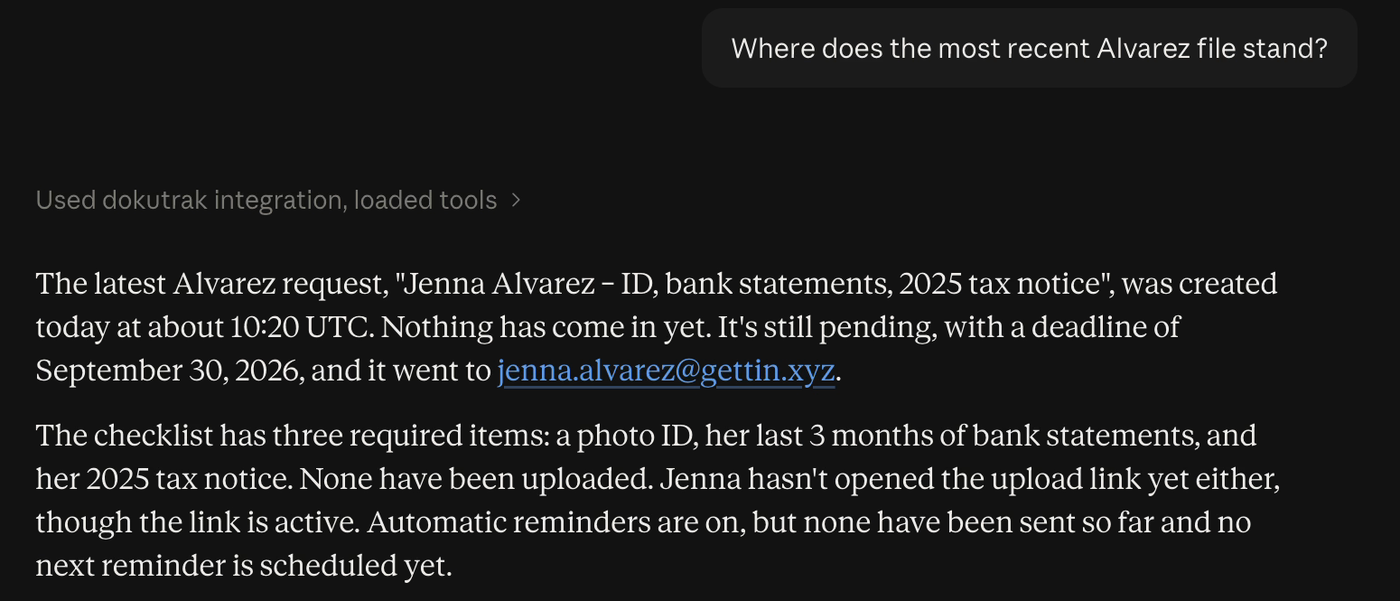
Reading a request's status and downloading its files change nothing in DokuTrak and contact nobody. Downloading does move client files into the agent's app, so where that app sends them is the professional's call. request_replacement belongs here too, for the reasons above. The agent's app may still ask permission on its own terms: Claude Desktop, for instance, stopped to ask even before a status check in our session. That comes from the app's settings, and we don't count on it either way.
Approved in advance, within limits
The reminders. The professional sets the cadence once, or keeps the default, and the software runs it without asking again; the professional can still stop the request. This is the closest match to "in advance within strict limits": authority granted once, for a defined purpose, that doesn't quietly grow.
A yes at the moment of sending
Sending a request to a real person. It can't be recalled, and each request can go to a different client with a different list, so approving the last one says nothing about this one. It is built to ask every time: the description requires a recap on each call, whatever the app's permission settings.
Never, whatever the agent is told
Accepting or refusing a document, and also billing, workspace settings and API keys. The server refuses these to any agent key: they sit outside the key's allow-list, so an attempt to accept or refuse a file with an agent key fails with an agent-endpoint-not-allowed error and is recorded as an auth.failure event in the audit log. A second check stands behind it: approving or refusing a file needs a signed-in session, so any other API key gets an approval-requires-human error, also logged.
Narrow and auditable, outside payments
One of the article's headings reads "Payment authority must be narrow and auditable", and it adds: "A safer model binds authority to a merchant, a maximum amount, a currency and a purpose." Document collection has no amount or currency, but the principle carries over. The agent key reaches only an allow-list of endpoints. Revoking it in the app takes effect on the very next call. Refused attempts, whether to accept a file or to reach an endpoint outside the list, are written to the audit log, so the record shows what the agent tried as well as what it did.
Keeping a human in the loop at the MCP tool level
We learned this from a test that went wrong. On 15 September, in an internal test, the instruction was to ask a client for their ID by 30 September. Within one turn a real request had gone out, and nobody had seen it first. The model had a recipient, a document and a date, and read that as permission. But complete is not the same as approved: nobody had yet looked at the actual request and agreed to it.
The connector now asks in two layers.
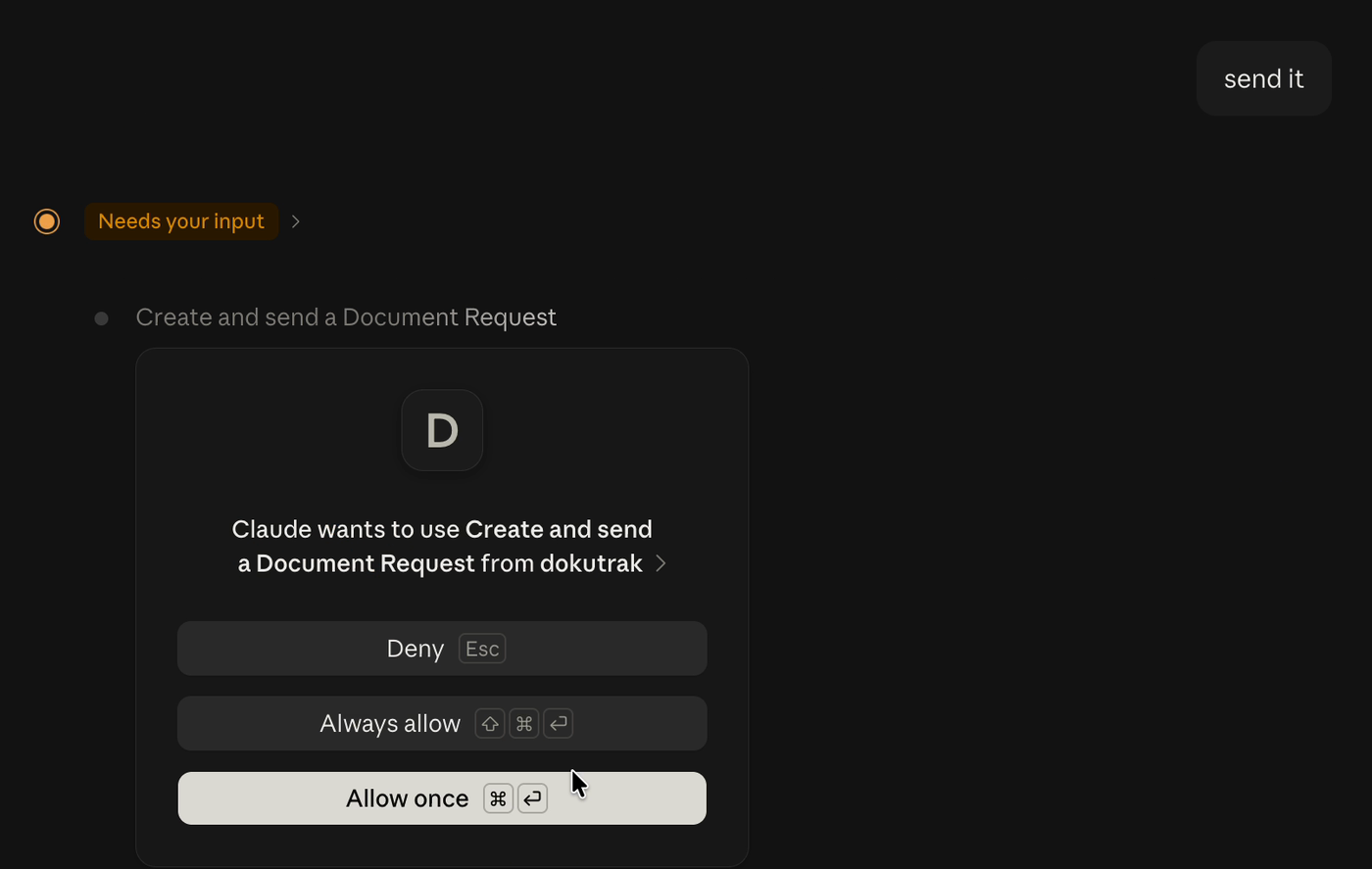
The first is the tool's description, which the model reads before deciding whether and how to call it. For create_request, it requires a recap before the call: the recipient, the deadline, each document as the client will read it, and the message if there is one, "even when the request already looks complete". That clause is there because of 15 September.
The second is the tool's annotations: labels the connector declares so the agent's app can decide how cautious to be. create_request is marked destructiveHint: true, because an email that can't be recalled isn't a harmless addition, and it carries an Anthropic-specific _meta key, anthropic/requiresUserInteraction. Claude Desktop prompts before a tool marked destructive, and Claude Code, reading that key, asks on every call, even with auto-approval switched on.
Here is how the tool declares it, trimmed from the connector's source (TypeScript, with the MCP SDK):
server.registerTool('create_request', {
  title: 'Create and send a Document Request',
  description: CREATE_REQUEST_DESCRIPTION, // requires the recap, "even when the request already looks complete"
  inputSchema: { /* recipient_email, deadline, documents, message… */ },
  // An email to a real client cannot be recalled, so the app asks on every call
  // rather than trusting the description alone.
  annotations: { readOnlyHint: false, destructiveHint: true, idempotentHint: false, openWorldHint: true },
  _meta: { 'anthropic/requiresUserInteraction': true },
}, handler);
The read-only get_request is declared with readOnlyHint: true and destructiveHint: false, and carries no _meta key: the difference between the two tools is written down, not left to the model's judgement.
Why both? If the model skips the recap, the app still stops before the email goes. But on its face the prompt shows a tool title, without the recipient, the deadline or the documents, so a person clicking Allow may not know what they are allowing. The recap is where they can spot a wrong address.
We rejected two alternatives. A draft queue in the dashboard would have been safe, but it would turn every agent request into a second job for the professional, which defeats the delegation. And a fast path for "obviously complete" requests would have relied on the model's own reading of "complete", which is exactly what went wrong on 15 September.
What this doesn't solve yet
The yes is given inside the agent's app, and our server never learns about it. From where the server sits, an approved request and an unapproved one look identical: same key, same payload. An app that disregards the annotations leaves the description as the only thing between the model and the send.
The agent also chooses who receives the request: recipient_email is whatever it writes, and our server can't tell a right address from a wrong one that happens to exist. That risk is covered by the recap and the prompt, and only the recap puts the address in front of the professional, which is the main reason we won't drop it.
Five questions for any business letting agents act for its clients
Whether you are building a connector or deciding what an outside agent may do in your own systems, these are the questions we'd put to each action:
- Does it reach a person? If it does, it isn't autonomous.
- Can it be undone? If not, it asks each time, before acting.
- What does the human see before saying yes? A tool's name isn't enough. Show the recipient and the content.
- What was approved in advance, and within which limits? Write the limits down so they can't widen without anyone noticing.
- What does the audit trail record? Include refusals. The attempts an agent made and was denied are the ones you most need to see.
FAQ
What's the difference between approval in advance and approval at the moment of acting?
Approval in advance sets limits once and lets the software act inside them without asking again, like a reminder cadence the professional chose. Approval at the moment of acting asks a person before each action, which suits anything that reaches someone and can't be undone, such as sending a request.
Can an agent approve a client's document in DokuTrak?
No. Accepting or refusing a file is refused on the server to any agent key, with an agent-endpoint-not-allowed error and an entry in the audit log; any caller without a signed-in session is refused with approval-requires-human. Only the professional, signed in to the dashboard, can decide.
Does a confirmation prompt in the agent's app prove a human approved?
No. The prompt lives in the client app; the server can't tell whether anyone saw it. That is why the tool also requires a readable recap, and why the hard limits sit on the server.
Which MCP annotation marks a tool that needs confirmation?
Strictly, none: the MCP specification has no "needs confirmation" annotation. It defines destructiveHint for tools whose effects may be destructive, and clients treat annotations as hints. Claude Desktop prompts for a tool marked destructive; Claude Code also reads an Anthropic-specific anthropic/requiresUserInteraction key in the tool's _meta. We set both on the tool that sends a request.
Primary sources
- Model Context Protocol specification, Tools (version 2026-07-28)
- dokutrak-mcp, the open-source connector described here (tool descriptions, annotations, and "What the connector cannot do")
- Brand Design Ltd., What Is Agentic Commerce? Definition, Payments and a Live Test